Skip to content

Coming in the future

Planned for Pretend You Have Friends but not in the mod yet. Plans can change, and none of this has a date.

Menus and controls

  • A command wheel, roster and quick-talk boxHold a key and flick to pick a friend and give an order; a roster with a gear button for settings; a quick-talk box for typing a line. Being built now.
  • A voice orbWhile you hold the voice key, an orb sits clearly above the hotbar: the "Shell" design, a rotating 3D point cloud that swells in a wave as you talk.
  • Friends in the tab listFriends show in the player list when you hold Tab, with a grey name and their owner, for example "Pip · Alex's friend". For display only.
  • Assistance optionsFour helps you can switch on yourself: unsticking a stuck friend and easier survival (Phase 3), keeping items on death and catching up by teleport (Phase 5). Survival stays the default.

Work in the world

  • Acting like a real playerFriends aim, mine, use items, click through menus, craft and trade the way a player does. Planned for Phase 2B.
  • Real crouchingFriends crouch for real: they stop at ledges, bridge across gaps, greet you with a crouch and copy your crouch taps back.
  • Rails, minecarts, shulker boxes and an ender chestRiding rails in minecarts, packing shulker boxes, and an ender chest of the friend's own.
  • How the world treats friendsMobs go after friends and villagers remember them, as with players, but a friend never causes phantoms or raids.
  • Skills they write themselvesFriends write, practise and save their own small programs for jobs, in a sealed sandbox that can only ask the server to act.
  • Gathering, crafting and deliveryGet wood, make tools from empty hands, cook, store and bring things back, from real materials.
  • Farming, breeding and villager tradingPlanting, harvest, feeding animals and trading with villagers, paying with real items.
  • Fishing, boats, horses and bucketsBasic fishing, riding and liquid handling.
  • Building from a descriptionAgree a small build in chat, then watch it go up block by block, with simple redstone.
  • Adventures and the Nether and EndExpeditions, enchanting, brewing, portals and boss fights alongside you.
  • Fetching dropped gearA friend that died goes back for its own items when it has nothing else to do.
  • Following through portalsToday a friend stays behind and says so.

Friends who feel alive

  • Promises and follow-upsThey remember what you said you would do, and their own plans, and bring them up later.
  • A journal and a nightly thinkDated entries in their own words, written when they sleep, kept on your computer.
  • Body language and moodHead turns, nods, sitting by a fire and a mood you can see.
  • Your story and their tastesShared milestones, favourite places and quirks learned from playing together. They unlock nothing.
  • Off-the-record talkChat that never goes into memory.
  • A new-friend interviewA few questions that draft a personality you can edit.
  • Friends talking togetherSeveral friends planning, splitting jobs and helping each other, including friends of two players who both agree.
  • Competence sliderHow well a friend plays, from relaxed to expert. It never changes what a friend is allowed to do.

Connections and voice

  • Understanding your modpackFriends learn modded items, dimensions and mods from the game itself. When you ask, or when they are unsure, they look things up online: Modrinth, wikis and GitHub first, then your AI connection's own search, with a notice about what is sent.
  • Local models with a guided setupFinds Ollama, LM Studio, llama.cpp, KoboldCpp or Jan on your computer and walks you through it.
  • Free hosted optionsMistral's free plan and Cloudflare Workers AI's free plan, each with a notice before the first message. Planned for the connections slice after Phase 2.
  • A spending counterA running count of what replies have cost, with an optional stop cap.
  • Inventory and status panelSee what a friend carries and how it is doing.
  • Simple Voice ChatOptional: friends hear you through Simple Voice Chat's key too, with speech still turned into text on your computer.
  • Friends speaking aloudPlanned for a much later phase. Today friends answer in text and speech bubbles.

Release

  • A public downloadThere is no release yet. Other game versions and loaders are decided at release.

The roadmap has the whole plan, phase by phase.

Getting started

What Pretend You Have Friends is, what it needs, and how to make your first friend.

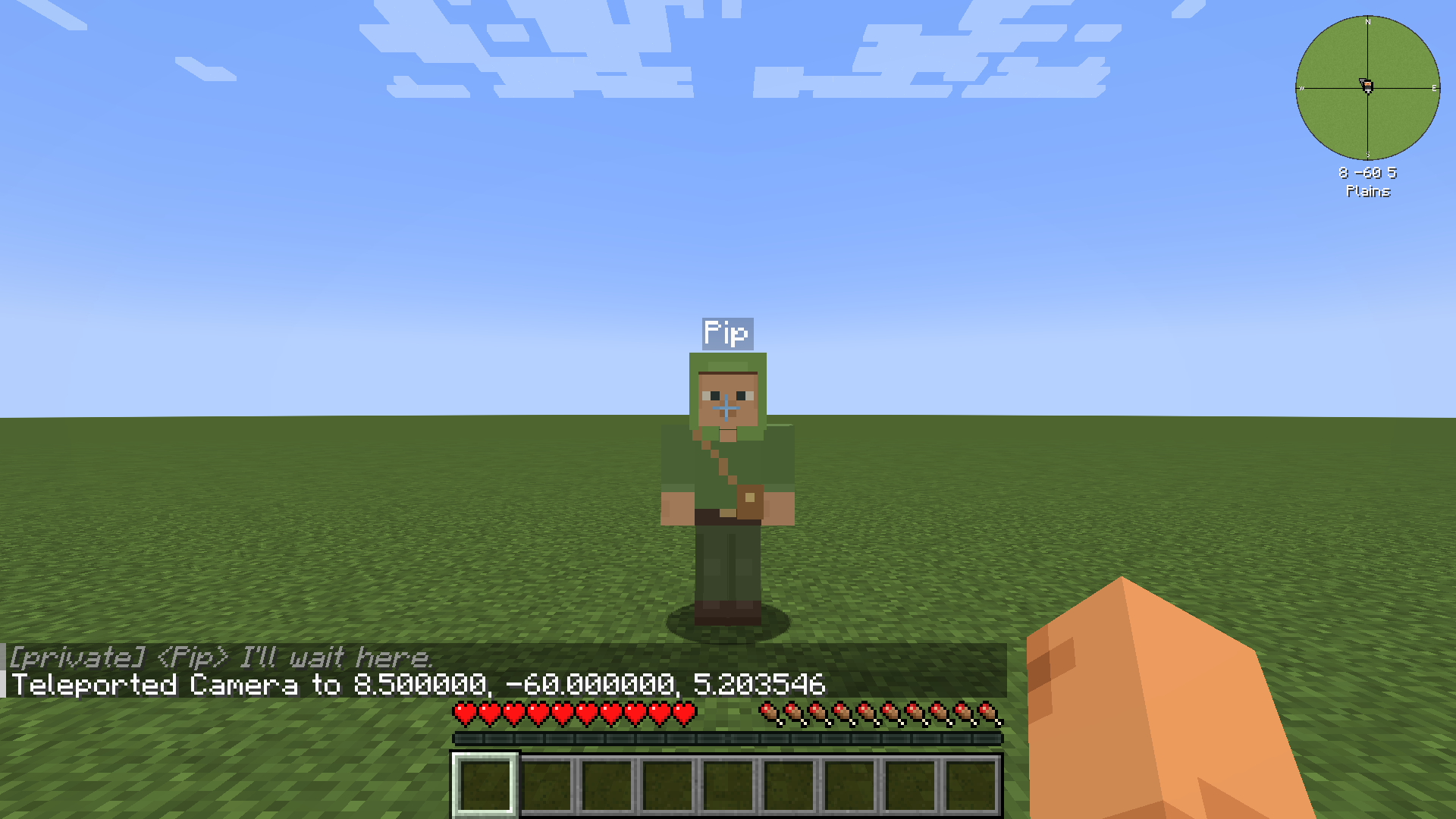
Pretend You Have Friends adds friends to your survival world. Each friend has its own name, look and personality. You can talk to it by typing or by voice, give it orders, and it remembers your time together. It thinks using an AI connection you choose, such as your own ChatGPT or Claude subscription.

Minecraft Java Edition 1.21.1
Loader NeoForge 21.1.248 or newer
Mod version 0.1.0 (development build)
Where to install Your own game, and the server too if you play on one
An AI connection A ChatGPT or Claude subscription, or an API key (see Choosing a connection)
A microphone Only for voice; typing always works
License LGPL-3.0-only

Without an AI connection, friends still follow simple orders such as follow, stay, come and stop. They can’t hold a conversation or plan anything new. See Orders.

  1. Open the friends menu with O (the key is called “Open friends menu” in Controls).
  2. Choose an AI connection. Press AI connection, pick one and press Done. See Choosing a connection.
  3. Press New friend. Give your friend a name and pick a skin, then press Create. See Friends.
  4. Say hello. Your friend appears next to you, says hi and follows you. Type /msg Pip hi (with your friend’s name), or hold V and talk.

You can also make a friend with a command:

/pyhf create Pip "preset:pip"
  • New friends arrive empty-handed. They have nothing until you or they find something.
  • You can have up to 3 friends at a time. A server can change this limit (see Configuration).
  • Friends get hungry. Give them food when they ask. Hunger never kills them.
  • What you say to your own friend stays private. Your private chats and memories are stored on your computer, never on the server, and sent only to the AI connection you choose when your friend thinks. See Privacy.
  • Nothing switches to paid use by itself. If your connection fails, your friends wait. They never move to another service or a paid one without you choosing it.
  • Friends can’t follow you through portals yet. They wait where they are and say so.